Search the web, keep the file
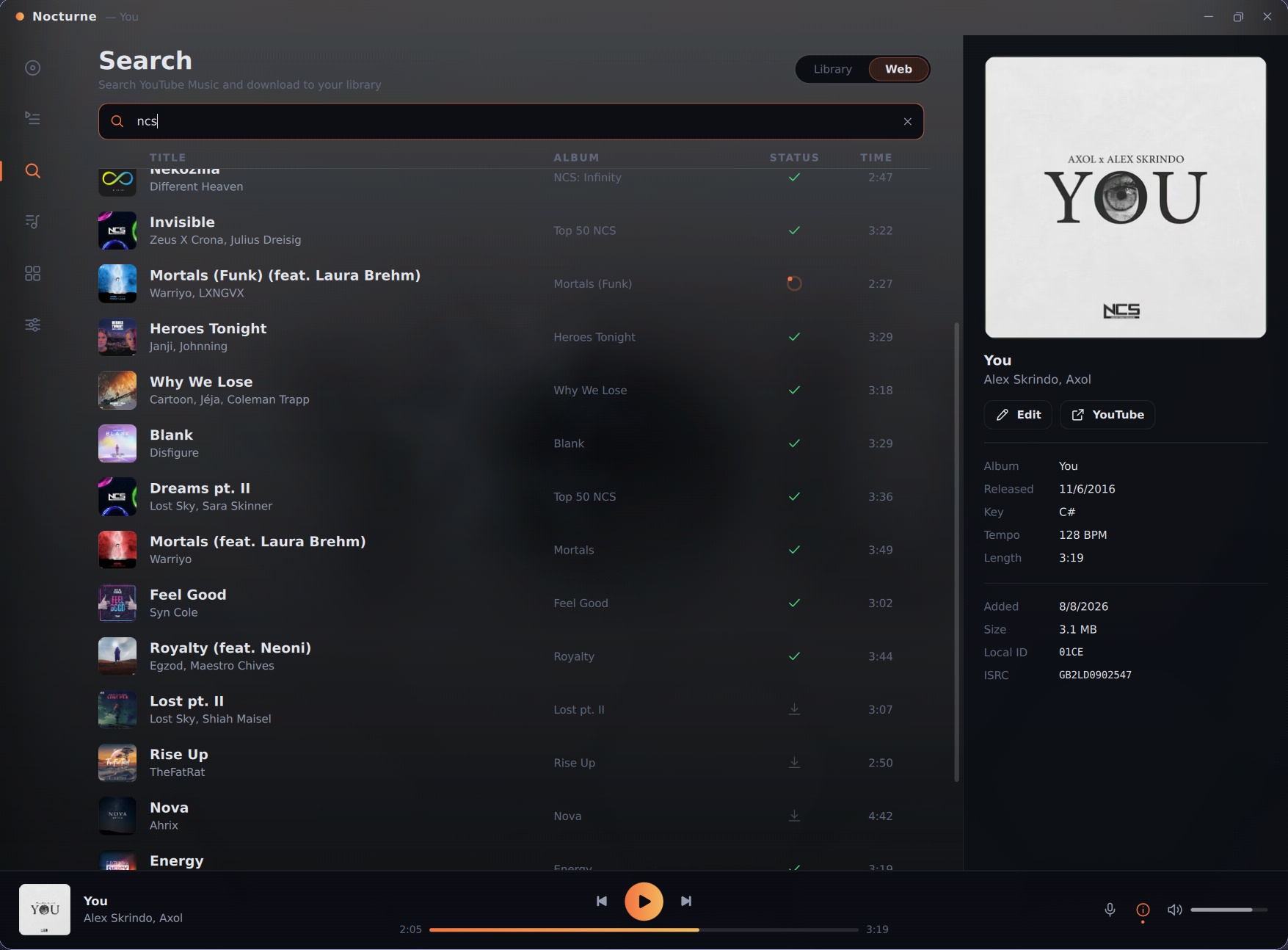
Find tracks through YouTube Music search and pull them straight into your library, tagged and filed. What lands on disk is yours.
A fully modular, 100% local, music database built to give you control.
Windows · macOS · Linux · free and open source · see all releases
100% local
no account, no cloud
One folder
portable vault
Swappable
QML interfaces
Documented
versioned GUI API
// what it does
Everything a collection needs — finding music, filing it, fixing its metadata and playing it back — without a subscription in sight.
Find tracks through YouTube Music search and pull them straight into your library, tagged and filed. What lands on disk is yours.
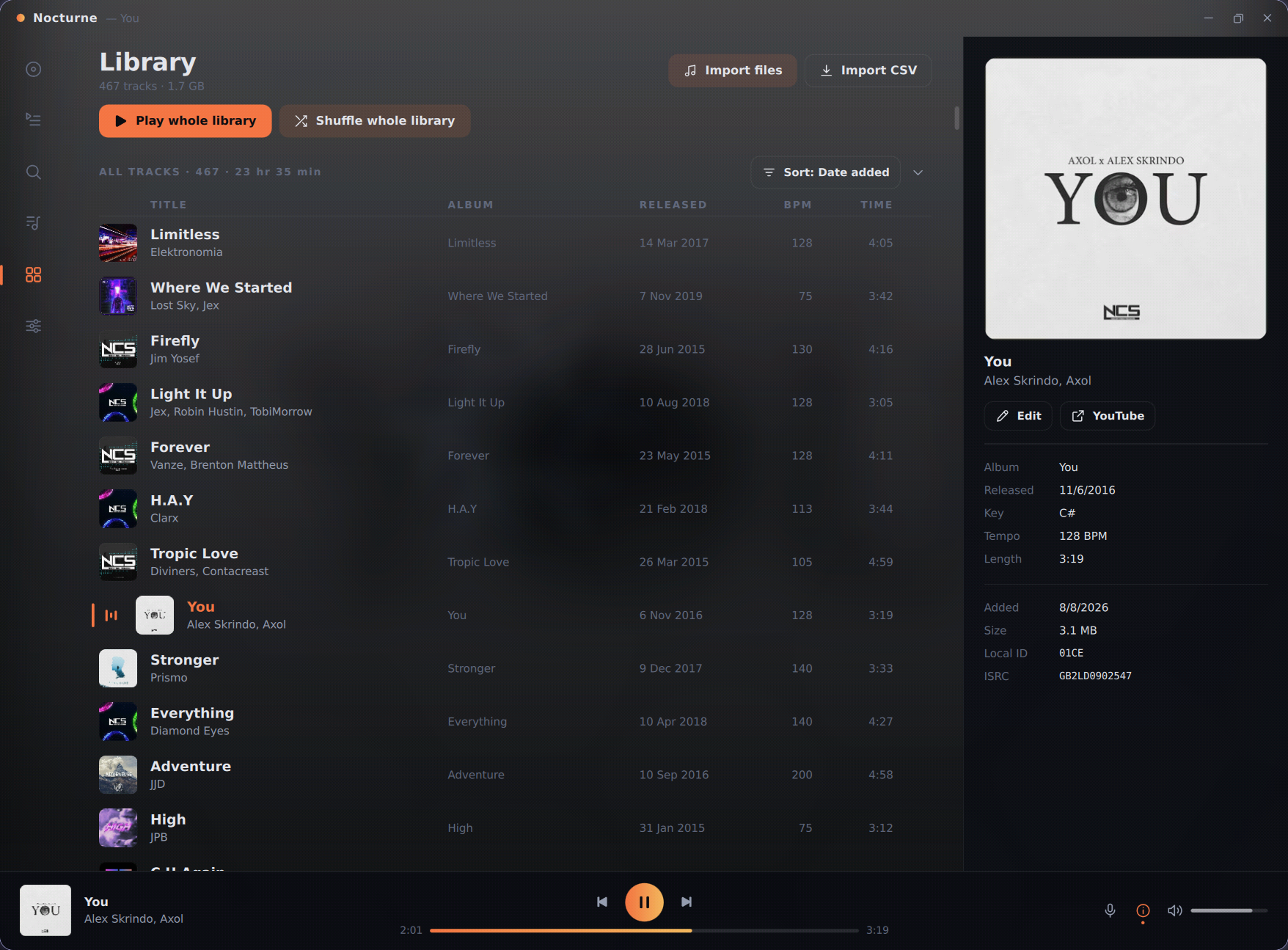
Every local track in one sortable list. Show, hide, reorder and resize columns — your layout survives the next launch.
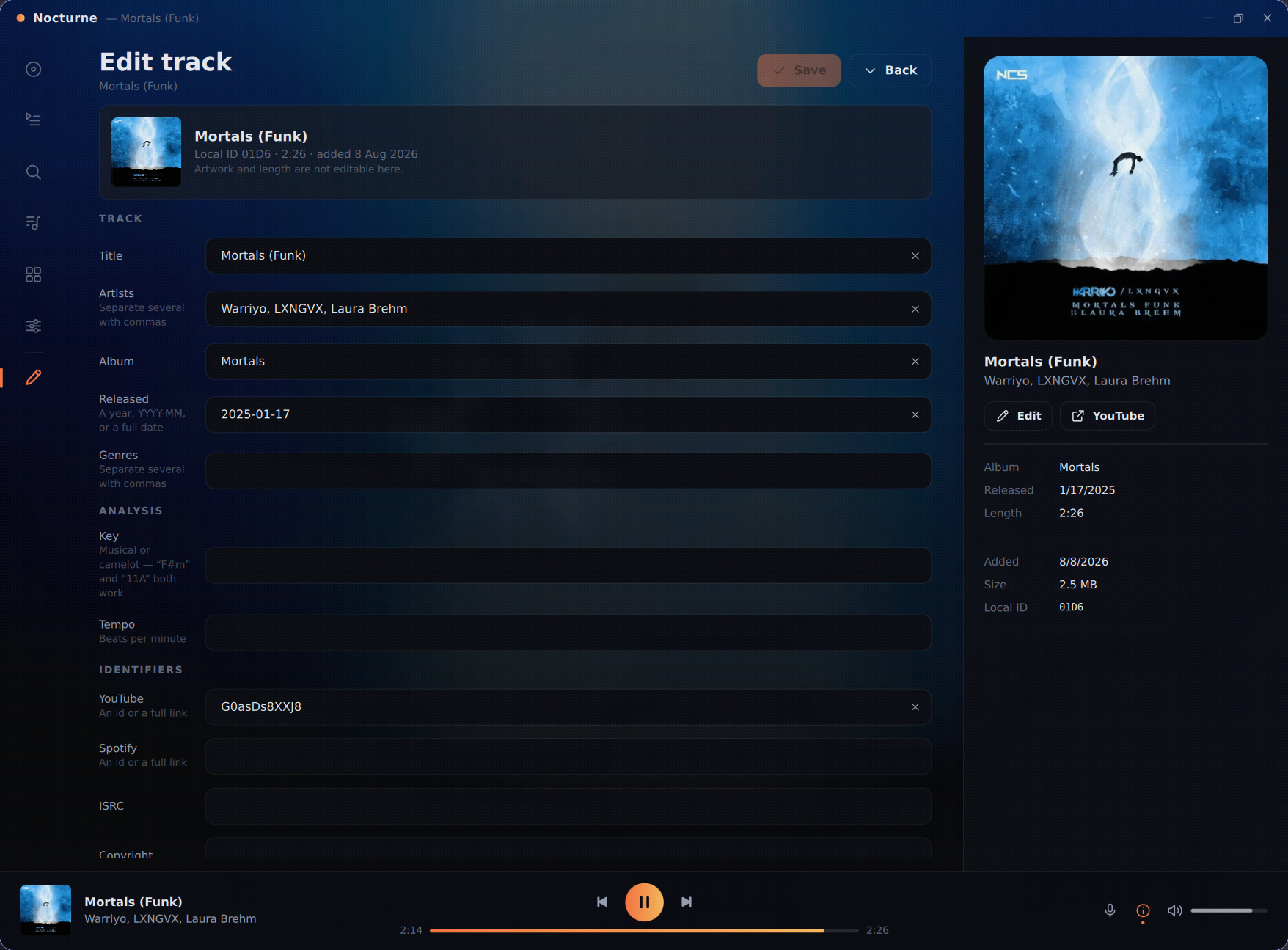
Title, artist, album, genre, release date — plus BPM and musical key, all editable in a dedicated track-edit tab.
Embedded cover art is extracted, cached and served by the backend, so big libraries scroll without stuttering.
Build playlists, manage a live queue with play history, and bulk-import track lists straight from an exported CSV.
Import or generate an instrumental for any track and switch to it mid-playback, seamlessly, on a 150 ms crossfade.
A lyrics panel that fetches synced words where they exist, so the line you're hearing is the line you're reading.
Window layout, queue state, sort order and column widths are all restored on the next launch. Close it mid-song; come back to it.
Audio downloading ships switched off. You turn it on, and agree to only fetch what you have the right to. Everything else works either way.
// architecture
Kroma Player is not one program pretending to be modular. It is a backend and a frontend that genuinely do not know much about each other — and the line between them is documented, versioned and public.
Kord is the Python backend. It owns everything that isn't pixels: the SQLite library, playback, downloading, importing, artwork and the play queue. It exposes all of that as a set of named view models.
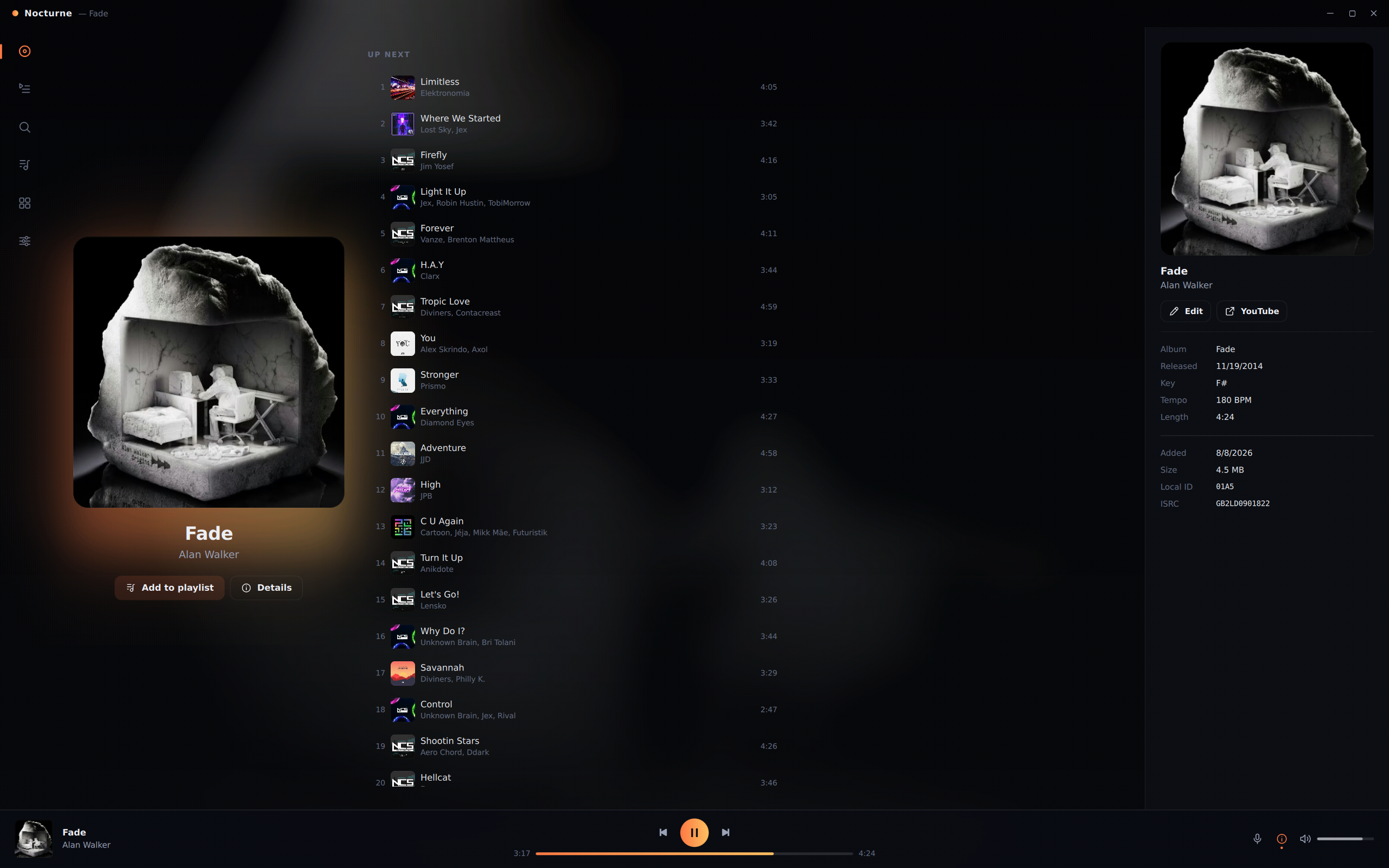
Nocturne is the official interface — a folder of QML that binds to those view models. It holds no database access, no file access and no playback logic. It is loaded from disk at startup, which is precisely why it can be replaced.
A folder of QML loaded from disk. Decides what the app looks like and how it is navigated — and nothing else.
GUI API v2
View models, services, repositories and the vault. Everything that is not pixels lives here, behind one contract.
// interfaces
If you can write QML, you can write a Kroma Player interface. Build a folder, drop it in your vault, pick it in Settings, restart. No forking, no rebuilding, no compiler.
A gui.json manifest and an entry main.qml are
the only required files. Everything past that is up to you.
Copy the folder into
~/Music/venomvault/.data/gui/ — or install a package
someone else published.
Settings lists every interface it finds. Choose one, relaunch, and the app comes up wearing it.
Nocturne has no special privileges. It ships as an ordinary interface package and is copied into your vault on first run — specifically so you can read it, copy it, and change it. Nothing in it is off-limits to you.
{
  "name":        "tiny",
  "title":       "Tiny Player",
  "version":     "1.0.0",
  "api_version": 2,
  "entry":       "main.qml",
  "author":      "you",
  "description": "A transport-only interface."
}import QtQuick
import QtQuick.Controls
Window {
width: 480; height: 560
visible: true
color: "#141414"
// Album art, served by the built-in provider
Image {
source: "image://art/" + playerVM.artHash
anchors.fill: parent
}
Button {
text: playerVM.isPlaying ? "Pause" : "Play"
onClicked: playerVM.togglePlay()
}
}That is a complete, working interface. Everything else — the queue, search, playlists, lyrics, import, export — is another view model away.


// and if you like nocturne as it is
Six accents, light and dark, or whichever your desktop is on — plus an ambient mode that takes the window's colour from the album art.
// the vault
Audio, database, artwork cache and interfaces all live inside one vault folder. Move it to another drive, another machine, a backup — point the app at it and everything is exactly where you left it.
No account. No sync service. No phoning home. The only thing that lives outside the vault is a small config file recording where the vault is.
Downloading audio ships turned off. Kroma Player has no way to know whether you hold the rights to a given track, so it doesn't assume you do. You enable it yourself, and agree to only fetch what is yours to fetch. Everything else — search, import, artwork — works either way.
<vault>/                    your audio, sharded
├─ mix/0001-0100/0042.opus
├─ bt/ 0001-0100/0042.opus  instrumentals
└─ .data/
   ├─ tracks.db             metadata
   ├─ covers.db             artwork cache
   ├─ session.json          window, queue, layout
   └─ gui/
      ├─ nocturne/          the official interface
      └─ your-gui/          anything else you install
// keep going
Shipped, in flight, and planned — all in the open.
Every version that has shipped, newest first, with its download and a link straight to what changed in it.
all releasesThe long version. What was added, fixed and reshaped in each release, written out properly rather than as commit titles.
read the changelogCustom track fields, key and tempo detection, EQ and pitch, a real lyrics editor, an audio visualiser — and what order they're coming in.
see what's next// get it
Free, open source, and yours to take apart. The v1.0 binaries aren't out yet — but the source is public, and it builds and runs today.
Roadmap · Changelog · Get notified in Discord
Needs ffmpeg for audio conversion and deno for downloading. Both are free, installed separately, and the app tells you if either is missing.